Production Features and Workflows in Silhouette
Taught by Katie Morris
- Duration:
- 6 hours 30 minutes
- Software Version:
- 2025.5
- Launch Date:
- January 2026
- Course Number:
- SIL104
vfx
AI
vfx
AI
Featuring Silhouette software v2025.5, SIL104 consists of 12 classes, 10 16-bit EXR shots, and over 6 hours of instruction and builds on previous courses SIL101 - Introduction to Silhouette and Roto, SIL102 - Introduction to Silhouette and Paint Part 1 and SIL103 - Introduction to Silhouette and Paint Part 2.
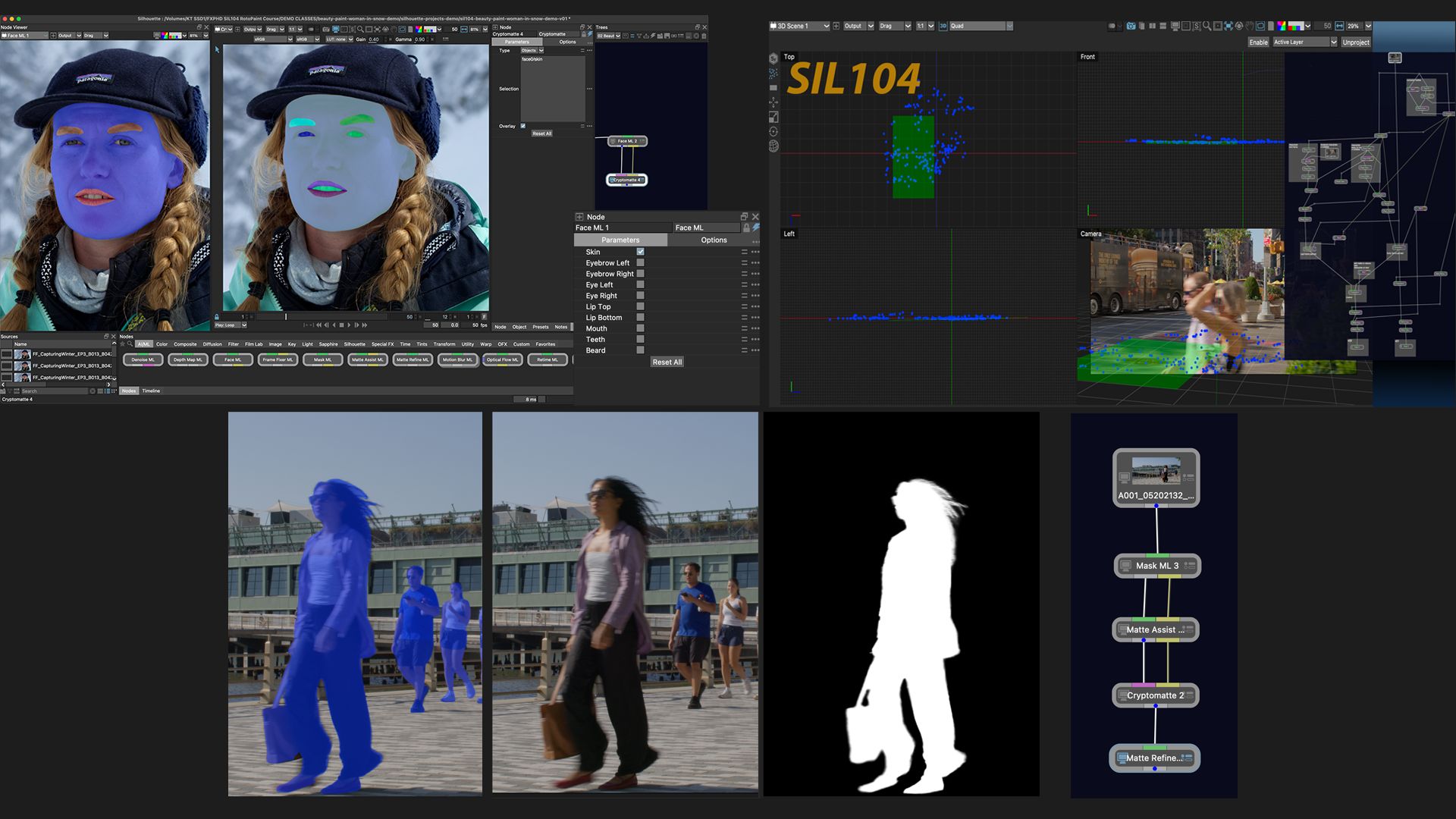
SIL104 starts with two classes covering recent paint and roto updates since the previous fxphd Silhouette series, then transitions into new features and workflows. Silhouette is evolving into a robust, multi-faceted, cross-disciplinary application that includes not only roto and paint features but also compositing, updated 2D tracking options, 3D tracking capabilities with integration, and several new Machine Learning nodes. In this course, the ML nodes covered are: Denoise ML, Face ML, Mask ML, Matte Assist ML, Matte Refine ML, and Motion Blur ML.
After the refresher classes, there are two ML roto classes that cover three separate shots, taking one through the myriad options for automatic matte creation and edge treatment. These new tools provide fast previs mattes, comp assist, tracking assist, as well as final composite quality results.
Next up is a four-part Beauty Work shot that encompasses Mocha Powermesh tracking, shape-based warping with Silhouette's Morph node, Inpatient, Face ML and the newly reimagined Cryptomatte. Following is a two-part tricky plate reconstruction shot with an oversized clean plate and lots of real-time problem-solving.
The course wraps up with two classes and three shots incorporating the new SynthEyes camera solver in the 3D Scene node. Two separate paint workflows are explored, along with how to use 3D data for rotoscoping.
Whether it has been a year or a couple of months since you last worked in Silhouette, this course will bring you right up to speed with the latest. Thanks go to Damien Vergez of Fast Fokus, Ben Brownlee of Boris FX and ActionVFX for providing the footage.
Katie Morris is a Visual Effects Digital Artist with credits on over 87 feature films. She brings deep expertise as a 2D and 3D post-production digital paint artist, paint compositor, and rotoscoper, using a wide range of techniques and software packages to reconstruct background plates and complex sequences. Katie is also a beta tester for Silhouette FX, giving her early, practical insight into new features long before they reach production.
Class Listing
Class 1: Silhouette Refresh, Part 1 - Paint
This first class will serve as a paint refresher including shot workflows using Sessions, updates and essential items regarding preferences for several window types and feature modules, how to extrapolate a track when using auto paint, a new way to lock layers, how to use mattes as holdouts for painting, the new Stabilization sub menu, Paint Presets, what to do when you forget to paint in the alpha, and regraining.
Class 2: Silhouette Refresh, Part 2 - Roto
This second part will be a refresh on Roto Preferences and selection tools for roto shapes, Auto Colour, how to roto for motion blur with the Roto Overlay tool, how to ensure motion blur on start and end frames, Reflect Shape, Roto Review, Templates, Compound Nodes and the Collect Files feature.
Class 3: Introduction to AI and Machine Learning Roto, Part 1
Dive into an exploration of the newer automatic matte creation tools, including ML workflows with Roto, EZ Mask, Mask ML and Face ML nodes, and propagation techniques with the Matte Assist ML node. In addition, we will cover how to use the Cryptomatte node to isolate shapes for special edge treatment options, including Matte Refine ML and Matte Repair.
Class 4: Introduction to AI and Machine Learning Roto, Part 2
This class covers ML matting for hard-surface objects, some prompting practice, and implementing two methods using the Motion Blur ML node to produce realistic motion blur with Optical Flow ML motion vectors.
Class 5: Beauty Work, Part 1
In Part 1, we devise a shot approach with precomps, learn how to use the unwarp/warp workflow with the Powermesh Warp node and a cleanplate to remove forehead creases. Plus, all matting will be machine-learning-based, using Mask ML in Mocha Pro and Face ML in Silhouette.
Class 6: Beauty Work, Part 2
In Part 2, we tackle targeted face slimming using the Morph node for shape-based warping and show how easy and flexible this feature is. A little touch-up paint, using both procedural and manual methods, wraps up this class.
Class 7: Beauty Work, Part 3
Part 3 uses the Inpaint node, Paint, tracking, and auto-paint to perform blemish removal in the most procedural way possible. Updated workflows with newer combinations of nodes greatly speed up the process.
Class 8: Beauty Work, Part 4
Part 4 brings it all together with the new, powerful Face ML and Cryptomatte nodes. The final composition is created, and the remaining tasks are completed, including selective colour correction, skin smoothing, teeth whitening, and other details.
Class 9: Soft Surface Plate Reconstruction, Part 1
Tackle the impossible shot with this two-part class on soft surface plate reconstruction. In the first class, we will learn to create an oversized cleanplate using the DOD node. Explore the new Photoshop brushes as well. Various tracking options will be explored before settling on Mocha Pro Powermesh.
Class 10: Soft Surface Plate Reconstruction, Part 2
In this part, one will learn how to incorporate Powermesh tracking in two separate workflows to composite the cleanplate. Then see how the new Remap Reference Frame tool lets you sync a painted frame that differs from the tracking start frame. Lots of practical troubleshooting help guide this shot to the finish line, including a tricky regrain.
Class 11: Camera Solve Intro with Roto and Paint
Using two shots, we'll explore the integrated 3D tracking feature powered by SynthEyes.Learn how to do a camera solve with the Syntheyes tracker in the 3D Scene node, how to create a card from points, and then how to convert a card to layers with two different options, how to use the data for roto shapes, and how to use the data for auto paint in two different shots. It’s a non-destructive workflow that allows the artist to paint on an unprojected image in a stabilised viewer.