Procedural Modeling For Buildings in Houdini
Taught by Jeronimo Maggi
- Duration:
- 6 hours 38 minutes
- Software Version:
- V20
- Launch Date:
- June 2026
- Course Number:
- HOU240
3D
3D
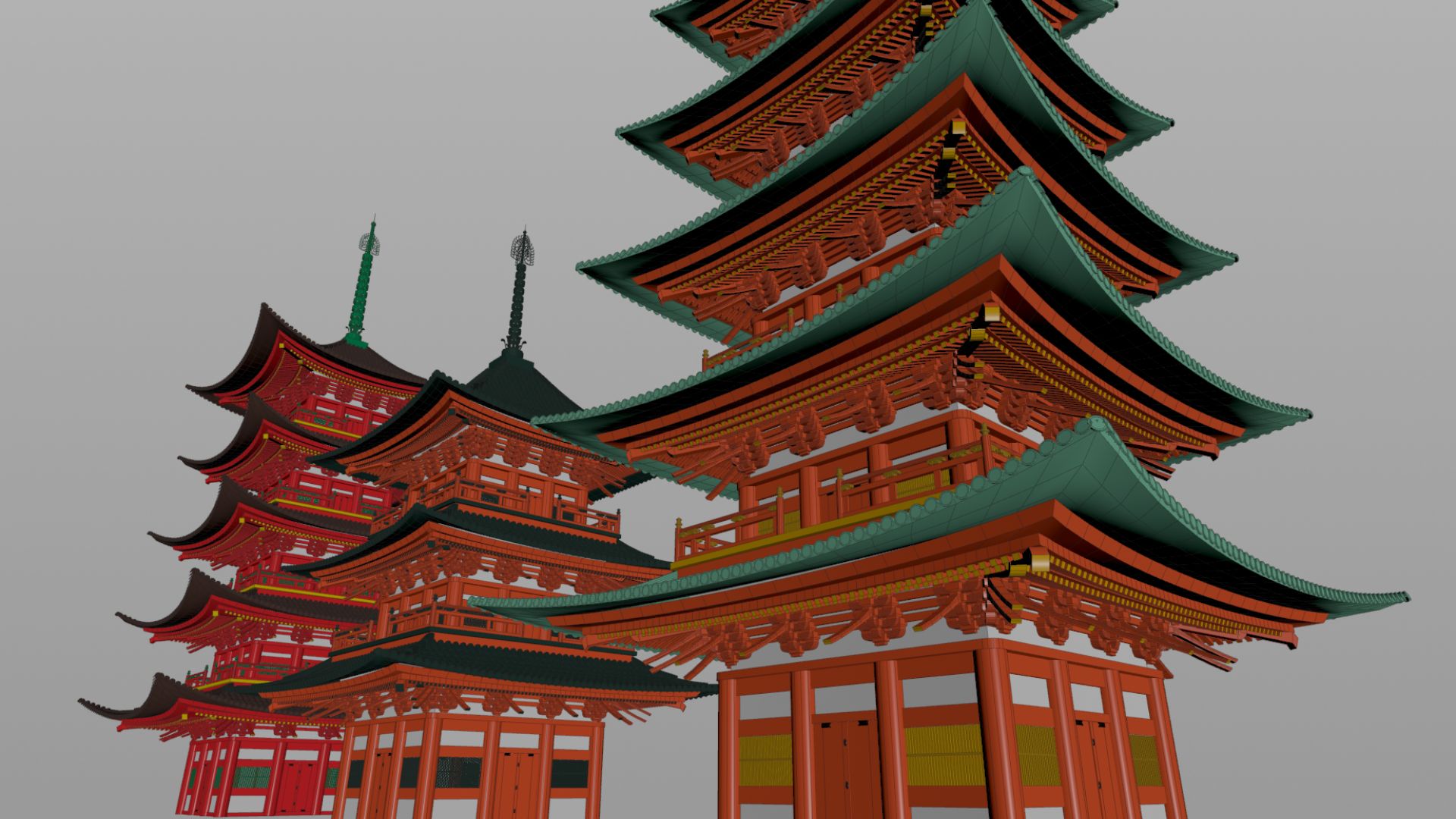
Ideal for modelers in both VFX and games who are looking to elevate their skills, this course provides hands-on experience in creating procedural tools. You'll learn to approach modeling challenges systematically, working with rules and relationships to create efficient, replicable designs. The course will cover creating a Japanese pagoda from start to finish, and by the end, you’ll have a robust skill set for tackling procedural modelling projects.
Jeronimo Maggi started his career as a 3D generalist and has been working with Houdini as an FX Artist and TD for the last 9 years. He worked for several years in the education field teaching Houdini and for studios such as Method Studios, Animal Logic, and Walt Disney Animation Studios.
Class Listing
Class 1: Building the Foundation
Kick off the course by setting up the foundation for your project. You’ll analyze reference images, establish the scene, and create the basic structure of the building while learning procedural modeling fundamentals. By the end of this class, you’ll be comfortable working with curves, parametric U coordinates, and vectors, as well as grouping and deleting geometry dynamically using rules instead of fixed point numbers. These skills lay the groundwork for tackling the next procedural challenges of the course.
Class 2: Balcony Design - Part 1
The base structure from class 1 will be used as the source for all the additional layers of details. In this class you will learn to think procedurally and learn a few more foundational procedural modeling techniques that will help design the balcony. This class will go over VEX expressions like primuv and nearpoints, teach you how to position geometry relative to other objects and scale it proportionally without relying on hard-coded values.
Class 3: Balcony Design - Part 2
In this class we are going to finish the balcony and look into compiled blocks as a way to optimize the for loop that is creating the balcony on every level. Compiled blocks can be tricky to set up, so this class will cover the common problems and how to make the node graph compatible with them. This class is also going to go over some new nodes such as Sweep, cover new concepts like orientation, and go learn how to revert the intrinsic U value of certain curves.
Class 4: Creating The Roof Surface - Part 1
Design the iconic curved Japanese roof surface using curves and skinning techniques. We are going to dive deeper into VEX in order to be able to scale, bend and shape the roof surface procedurally in order to achieve the curved look. This lesson will introduce yet another technique for creating a mesh out of a curve using the Skin node.
Class 5: Creating The Roof Surface - Part 2
Complete the base layer of the roof and learn how to account for exceptions in a system, such as the last roof in the last level. You will learn to account for exceptions by leveraging as much of the existing node graph as possible while minimizing duplicate nodes. The class concludes with the creation of the roof’s finial.
Class 6: Structural Roof Beams - Part 1
Use the roof surface as a guide to position and orient the structural support beams. We will look at creating the structural beams using a few more procedural modelling techniques, which will allow us to place and orient the beams in the correct position, as well as a way to use the PolyBridge procedurally using a for loop with feedback.
Class 7: Structural Roof Beams - Part 2
Expand the beam system by exploring a ray casting algorithm to align the beams along the roof’s surface. This technique will provide the foundation for the ray marching algorithm that will be used in the next lesson to create the tiles. You’ll also tackle practical challenges like collision geometry and clipping beams cleanly at roof corners.
Class 8: Roof Tiles - Part 1
Develop a procedural tiling system that adapts to any roof shape by learning how to write a ray marching algorithm in VEX to traverse the roof surface laying tiles.
Class 9: Roof Tiles - Part 2
Refine the tiling system to address common challenges like diagonal edges and corner intersections. Implement a ray-plane intersection algorithm to trim excess tiles and perfect the transitions between roof sections. The end of this class will also cover the creation of the corner tiles between roof sections.
Class 10: Roof Support Structures
Break down the intricate roof support system into smaller shapes and learn how to create variations with Copy to Points in order to combine them into complex-looking shapes. You’ll learn a fast, efficient technique for combining smaller elements resulting in a more detailed structure.
Class 11: Walls and Frames - Part 1
The last part missing is the walls. This lesson will go over creating all the columns and horizontal frames of the wall that adjust dynamically to the roof support from the previous class.